Upload an image to transform (Max 50MB) (Max 3)
Upload an image and enter a prompt to see the result here
✨More AI Tools
Explore more powerful AI features
How to Use Image to Image AI
Follow these steps to transform your images using image to image AI:
Why Choose Our Image to Image AI
Experience professional image to image AI transformation with precise control and creative freedom.
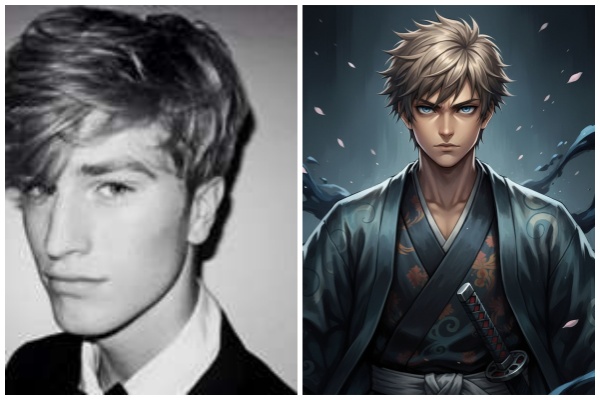
- AI-Powered Image to Image TransformationOur AI analyzes your image for image to image transformation, preserving details while applying creative styles.
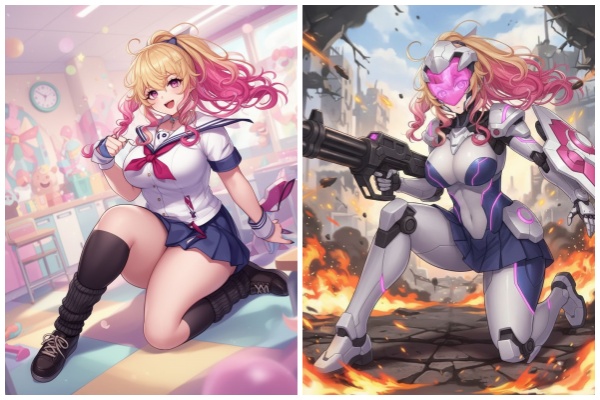
- Style Transfer with Image to Image AITransform images into multiple styles using image to image AI, from realistic to anime, fantasy, or cyberpunk.
- Smart Enhancement via Image to Image AIEnhance your images automatically using image to image AI for better quality, details, and visual appeal.
Powerful Image to Image Features
Everything you need for professional AI-powered image to image transformation.
Advanced Image to Image Capabilities
Powerful image to image AI tools built on the latest vision technology.
Multiple AI Models
Choose from Nano-Banana and Flux-Kontext models for different types of image to image transformations.
Aspect Ratio Control
Maintain or adjust aspect ratios during image to image transformations for perfect project fit.
Background Options
Keep or remove backgrounds in your image to image creations to match your vision.
AI Prompt Optimization
Optimize your prompts for better image to image AI results automatically.
High Resolution Output
Generate professional-grade images with our image to image AI.
Public Gallery
Share your image to image AI creations publicly or keep them private.
Frequently Asked Questions About Image to Image AI
Answers to common questions about our image to image AI tool.
How does image to image transformation work?
Our image to image AI analyzes the uploaded image and applies transformations based on your text prompt, preserving details while changing style, color, and effects.
What image formats are supported?
Upload JPG, PNG, or WEBP files up to 50MB for image to image transformations.
Can I control the transformation style?
Yes, image to image AI allows you to specify styles and select AI models optimized for different types of image to image transformations.
Is my image data private?
Yes. All uploads for image to image AI are secure, and you can choose to keep your images private or public.
Can I use transformed images commercially?
Yes, all image to image AI results are yours to use freely for personal or commercial purposes.
What's the difference between the models?
Nano-Banana provides natural colors for creative image to image transformations. Flux-Kontext-Pro delivers high-fidelity professional results for image to image tasks.
Start Image to Image Transformations Today
Experience powerful image to image AI to create stunning transformations.